更新要点
要使用本次更新中的内容,请升级到预览版本 v3.26.11
新的实用工具 Callgraph View
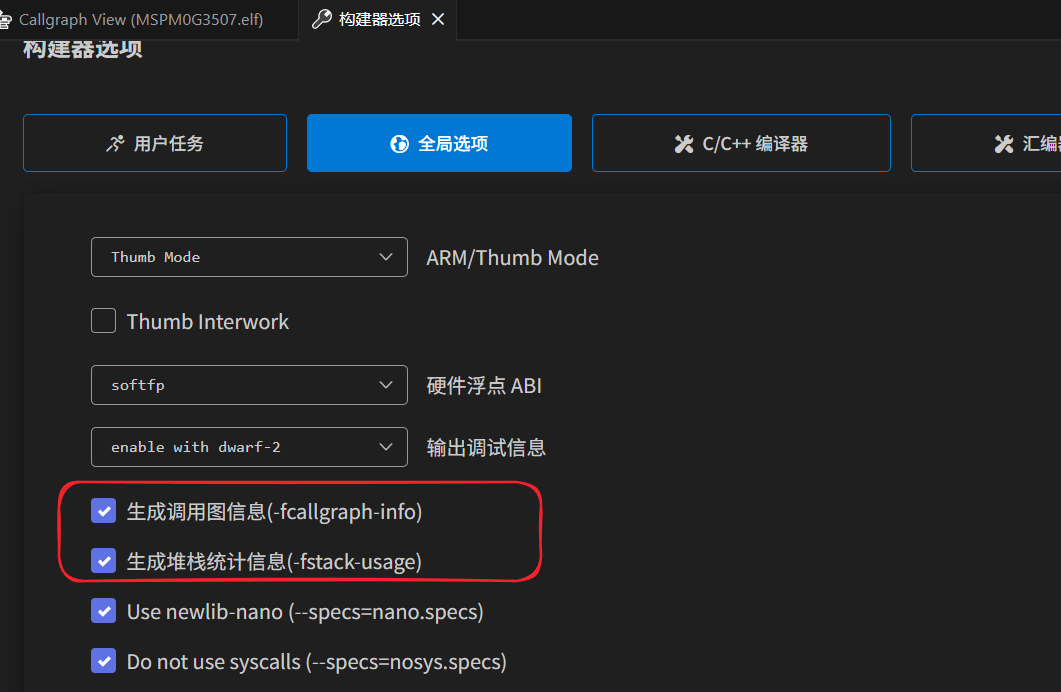
通过开启 gcc 的 -fcallgraph-info 选项,可以生成调用图信息,然后 eide 将生成后的调用图收集并可视化
可以方便的查看程序的调用关系。如果一并开启了 -fstack-usage,则可以同时计算最大静态栈使用量
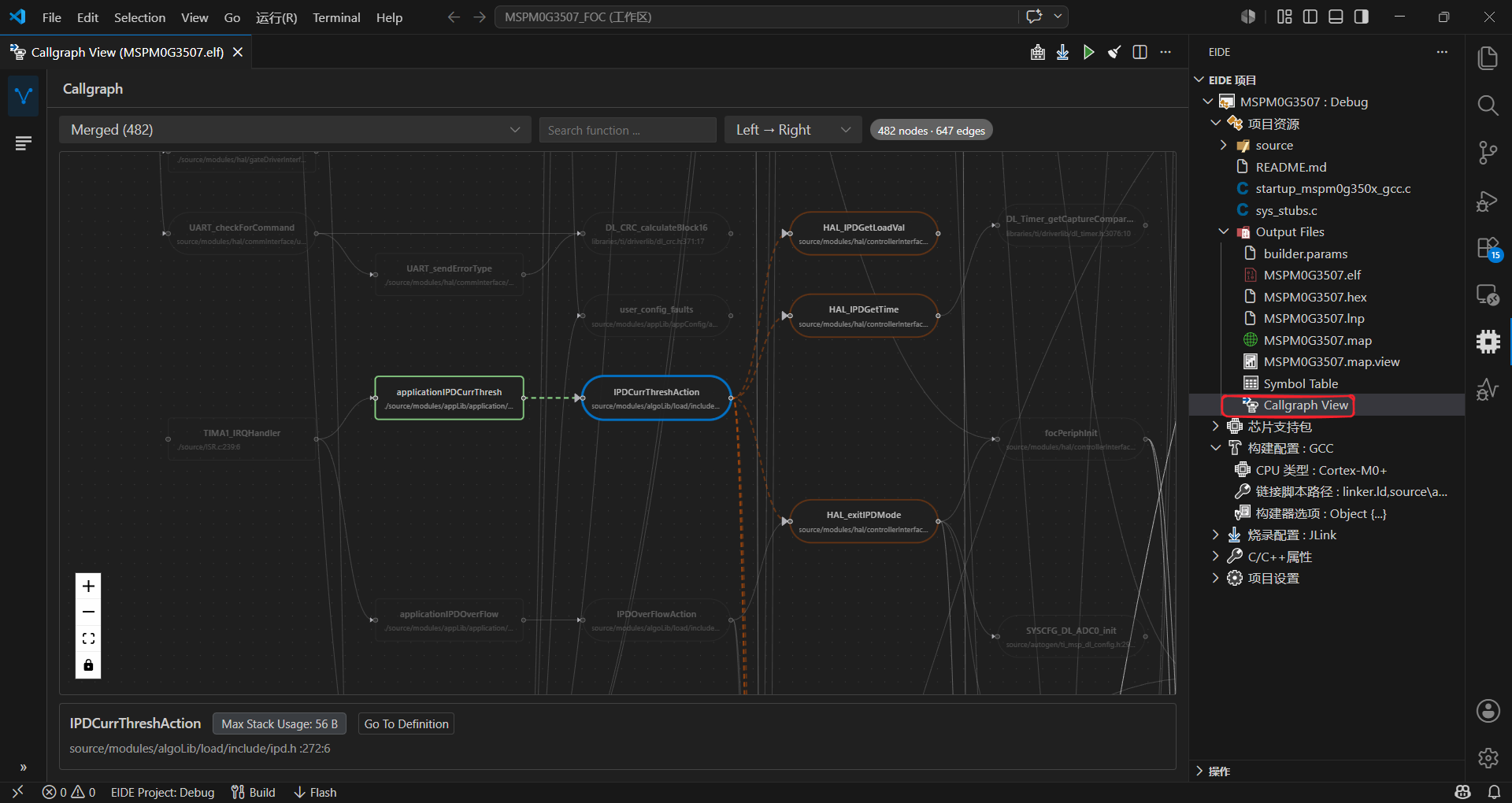
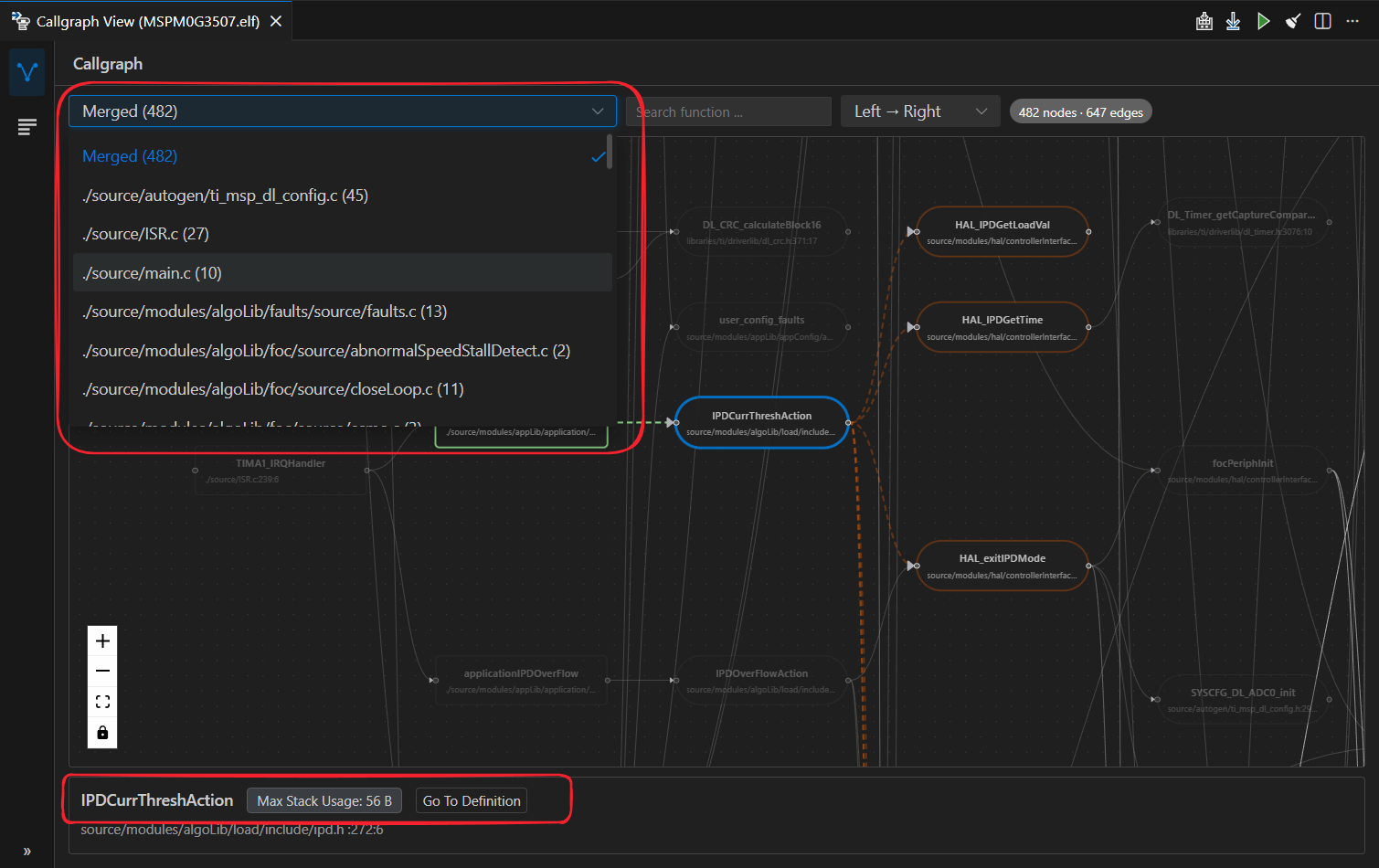
支持分离显示单个文件的调用图,以及支持 Go Definition 到对应的源文件
内置的 MCP 服务器
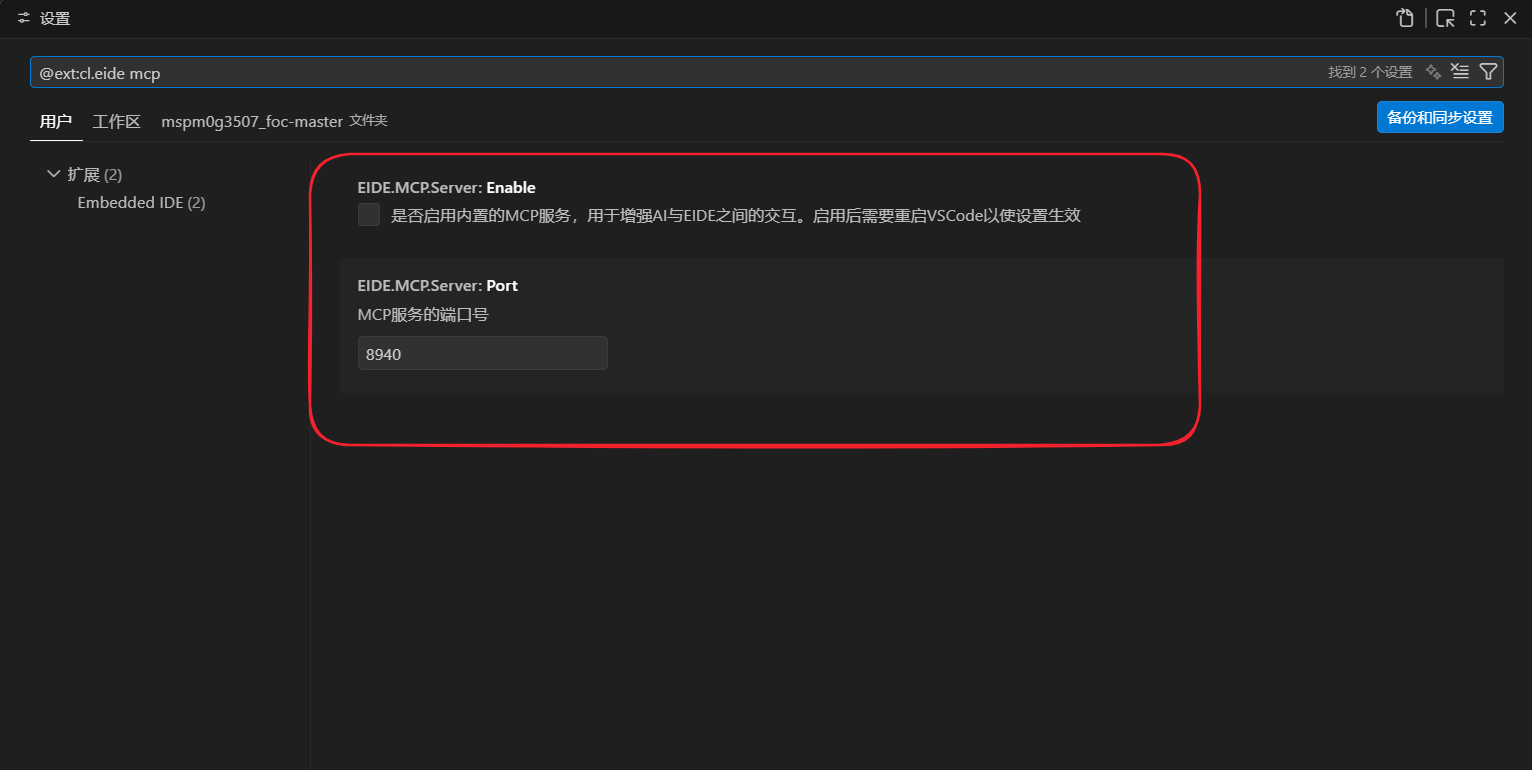
开启该选项后,插件会在默认端口 8940 启动 mcp http server, 以提供插件内置的功能给 agent 使用。
目前支持的操作有 6 个: build、rebuild、clean、flash、reload project、switch target
在 agent 中添加 mcp server, 地址为:http://localhost:8940/mcp
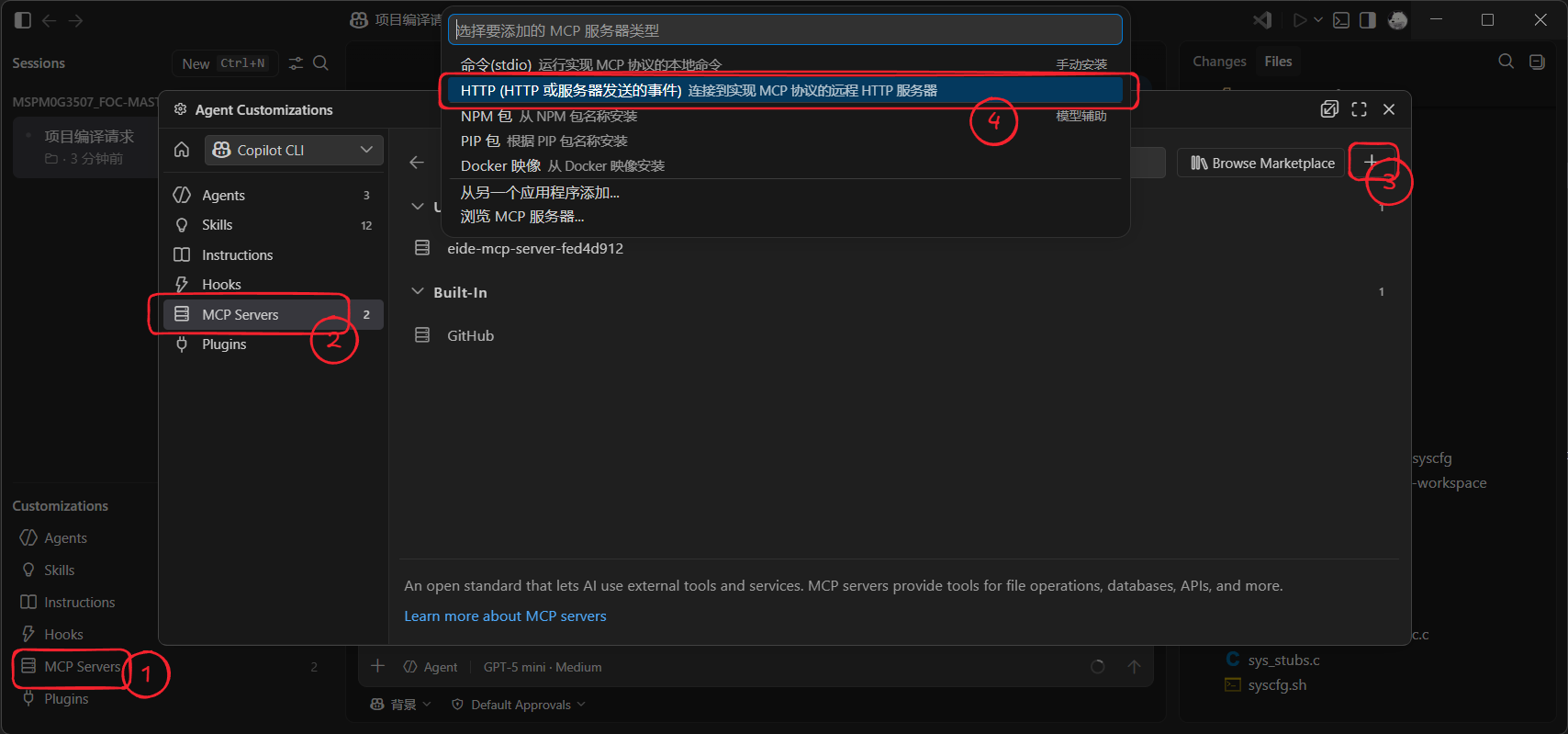
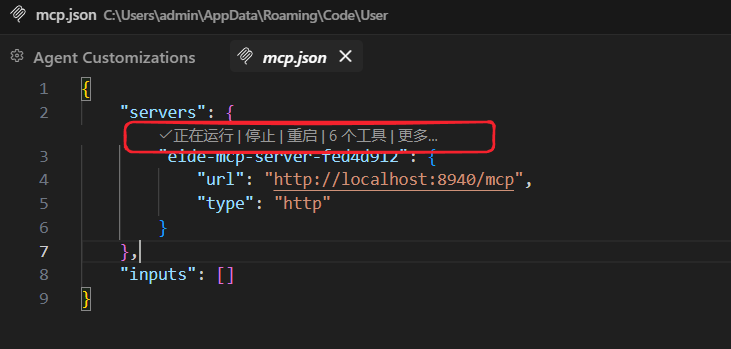
添加完成后,会提示正在运行,已发现 6 个工具
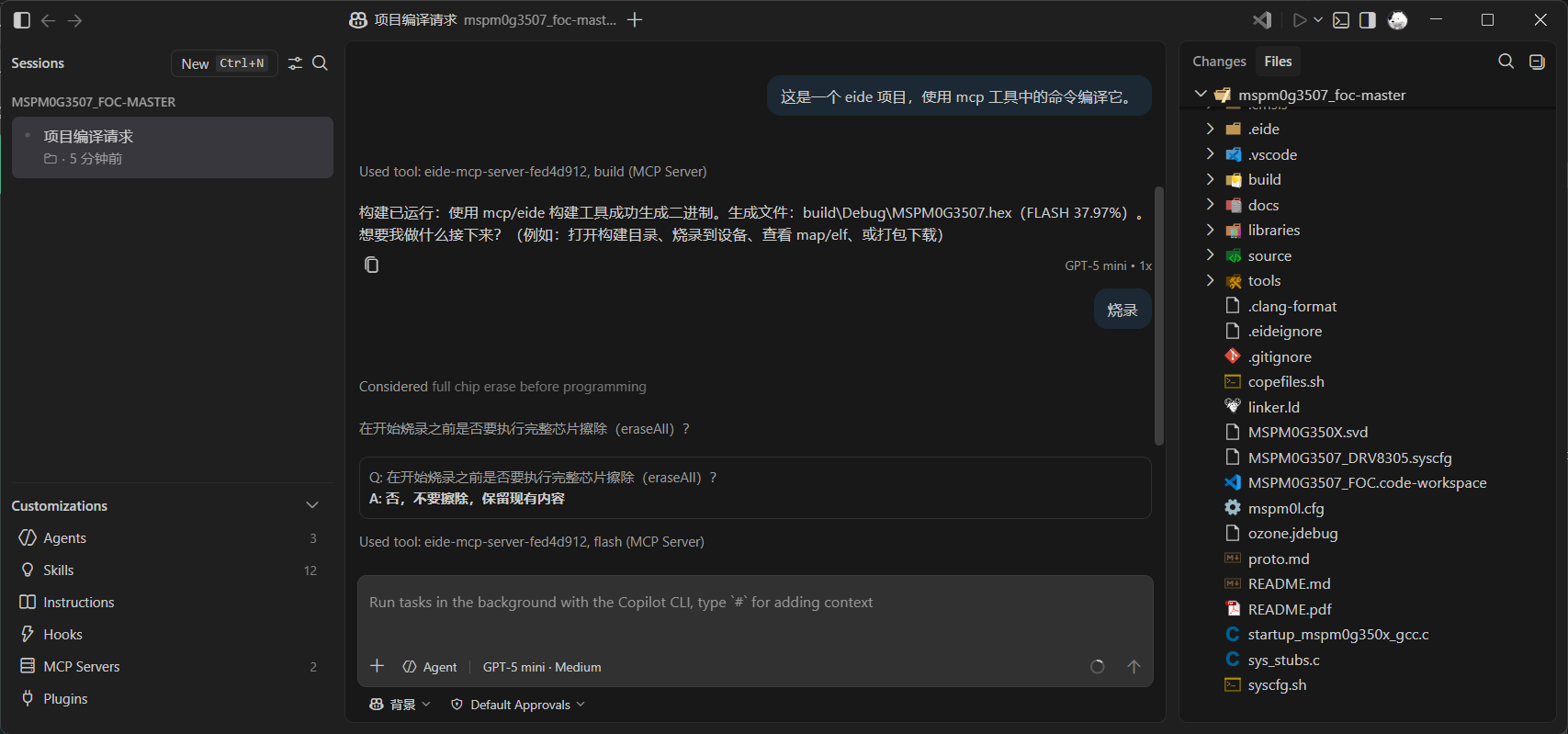
然后接下来可以让 agent 执行 mcp 提供的操作(如果 agent 没有使用工具,可能需要调整提示词)
更新日志
New:
MCP Server: Add mcp server to export eide built-in functions. settings: EIDE.MCP.Server.Enable, EIDE.MCP.Server.PortCallgraph View: Add callgraph view and new options -fcallgraph-info, -fstack-usage for gcc toolchain.
Fix:
Cppcheck: Fixed cppcheck config generator.Symbol Table: Fixed size column override table header.
Changes:
Devtools: Update node version to v18 and min vscode version require v1.89.0.
